Add default “Ship From” Address
| | | Video of steps taken (best viewed full screen in 1080p)
|
| | The user will need admin access to complete this task!
|
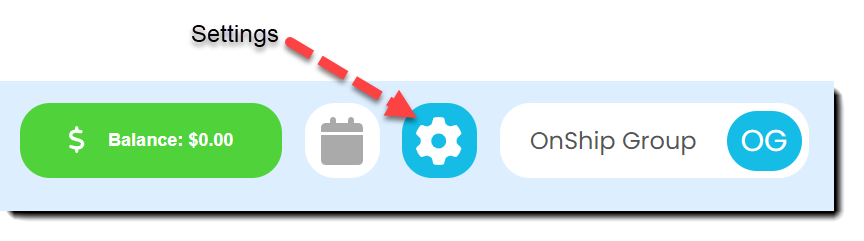
| | Click on the gear (Settings) icon at the top right corner of screen
|
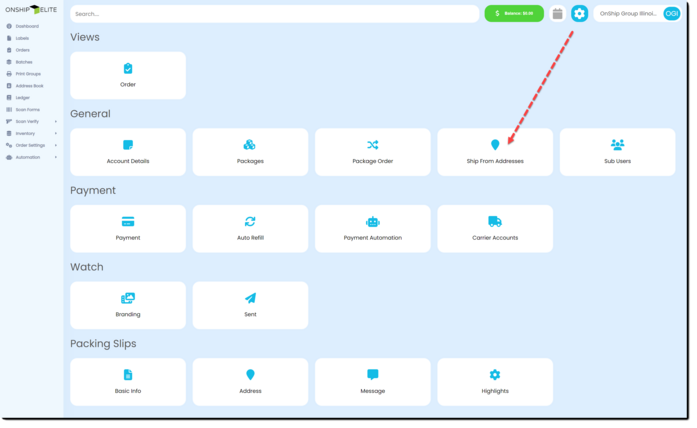
| | Select the "Ship From Addresses" button
|
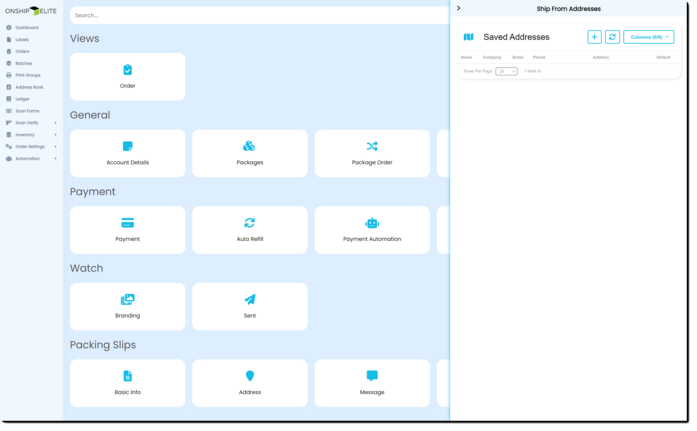
| | The right side window will appear
|
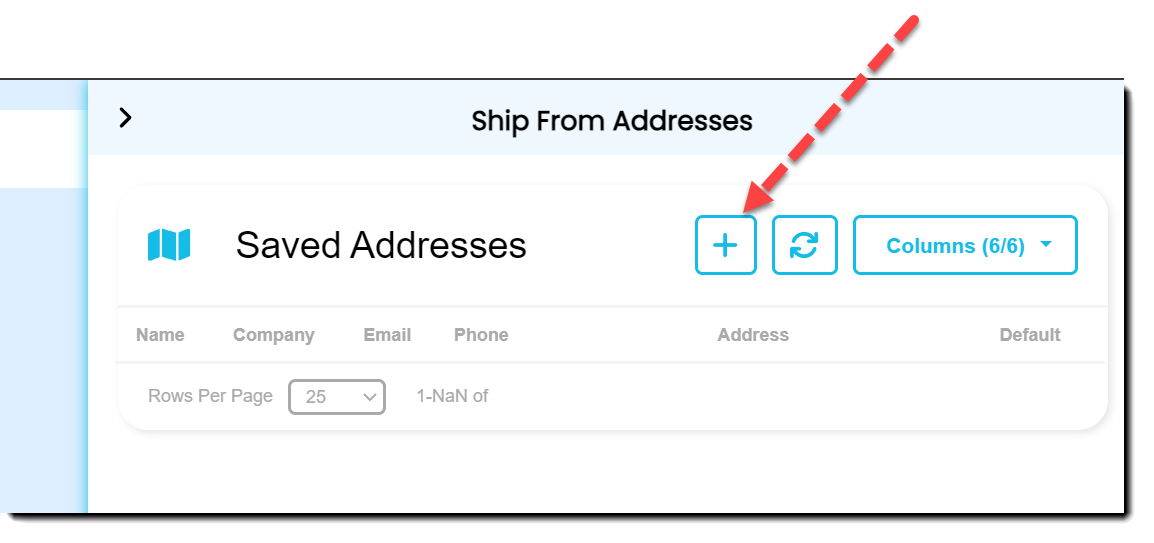
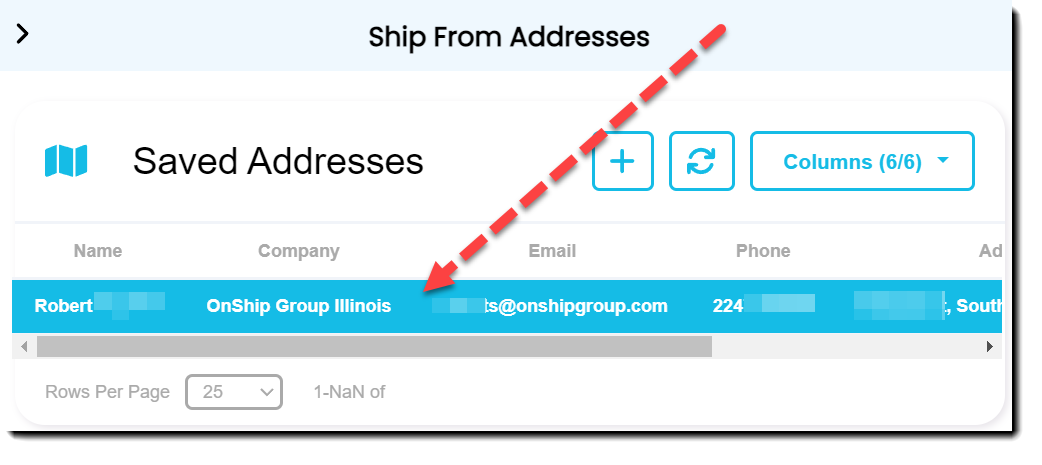
| | On the right side click the "+" button to add a new ship from address
|
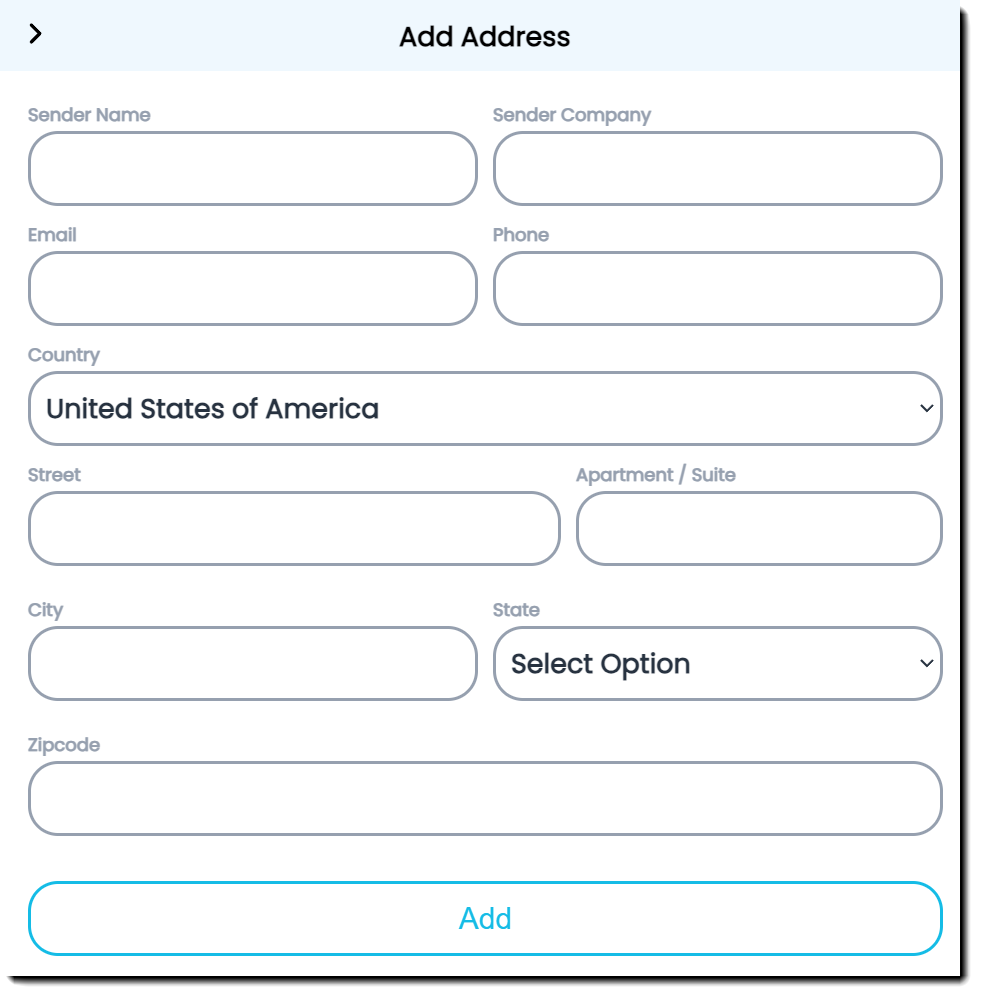
| | Fill out the Address information and click the "Add" button
|
| | -
Sender Name - required for international shipping
-
Sender Company - Sender Name or Sender Company required
-
-
Phone - required for international shipping
-
Country - defaults to USA
-
-
Apartment / Suite - required if there is an apartment or suite. This should separated from Street for better address cleansing.
-
-
-
|
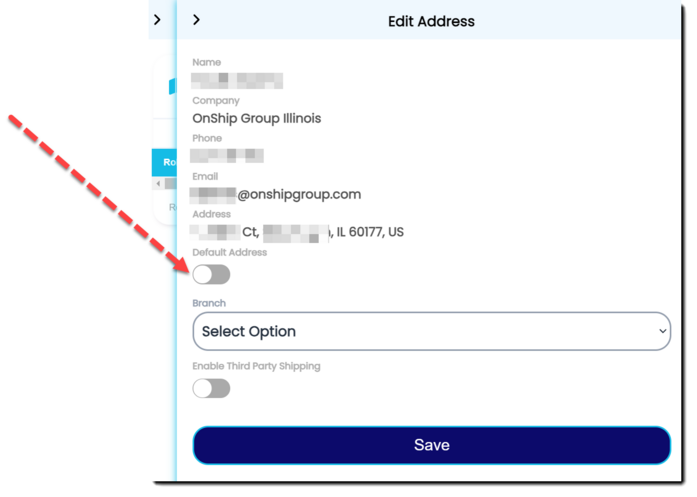
| | Double-click the address you just entered
|
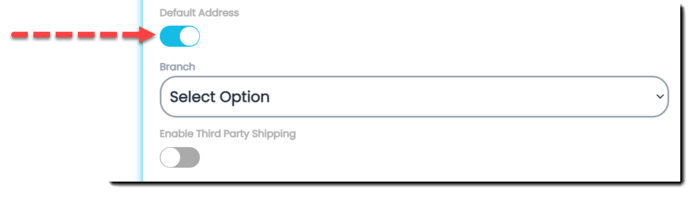
| | Locate The "Default Address" switch and turn on.
|
| | This makes the address the default choice when shipping.
|